
From Manual Processes on the Factory Floor to Workflows
Onboarding, ML Setup, RCA & Kaizen — four workflows to close the gap between factory floor and AI platform
The Problem Space
Once a customer signs the SOW, cameras ship and installation begins — but the real work happens in emails, YAML files, and fragmented handoffs. No product surface for any of it.
Station monitoring plans, Standard Work tables, production schedules, ML cost configuration — all sourced over email, rebuilt from scratch for every customer.
Translating customer knowledge into ML training data happened entirely in people's heads — no structured handoff, no shared source of truth between implementation and engineering.
Standard Work became training data. The ML team tuned models and looped back to the customer for fresh video whenever accuracy dipped — every cycle a manual effort.
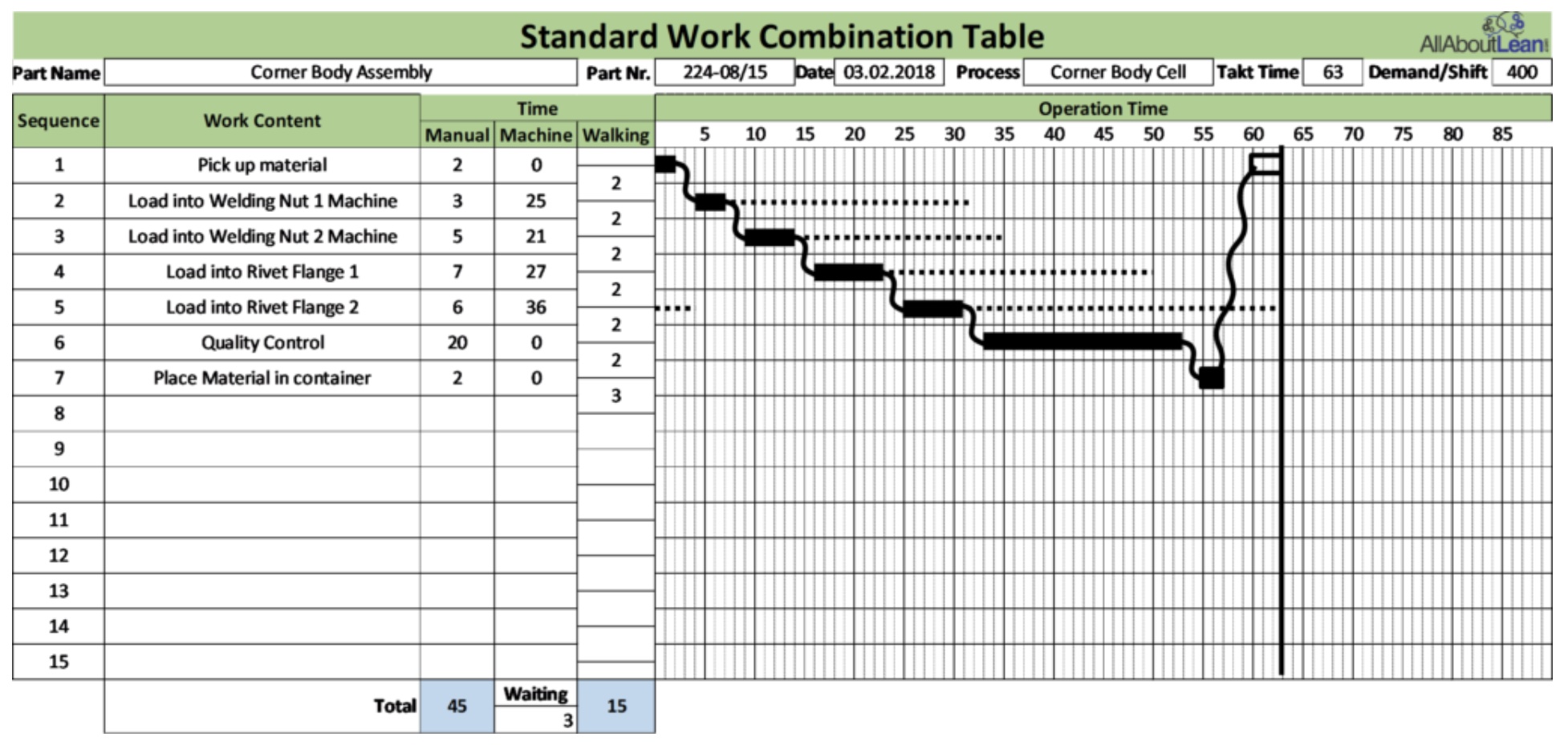
Standard Work cycle time — tracked manually outside the platform
Usage was low. Daily or weekly reports arrived by email and that was enough. Customers had no reason to open the portal — the data wasn't consumable enough to reward it.
The portal was a passive archive. We needed to redesign the value of the data itself — interactive, contextual, worth returning to.
Factory floors are collaborative — issues are flagged, discussed, escalated, resolved. Small fixes by supervisors, big investigations by quality teams. The platform had none of that.
Kaizens, RCAs, corrective actions — happening informally, verbally, off-system. Bringing them in meant giving people a reason to mark, solve, and close issues together.
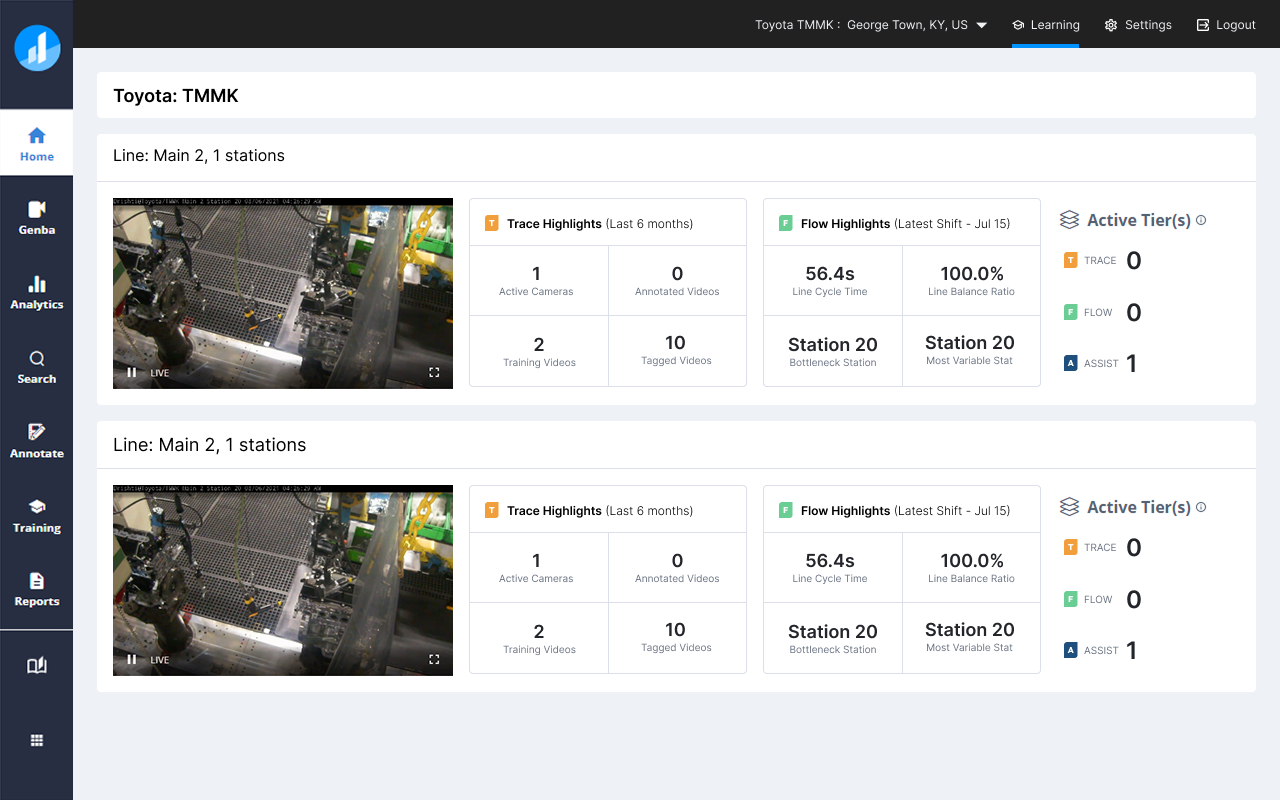
Old home screen — data present but not consumable enough to drive engagement
Onboarding was the most critical piece first — without it, existing customers couldn't extract value from the platform at all. Until a line was properly configured, no inference ran, no data surfaced, and no other workflow was reachable. The product management team aligned on this: onboarding was blocking everything else. RCA and Kaizen came later — they required more customer maturity and product marketing effort before teams could see the value in closing the loop inside the platform rather than over email and WhatsApp.
Solution 1 — Live in a Week
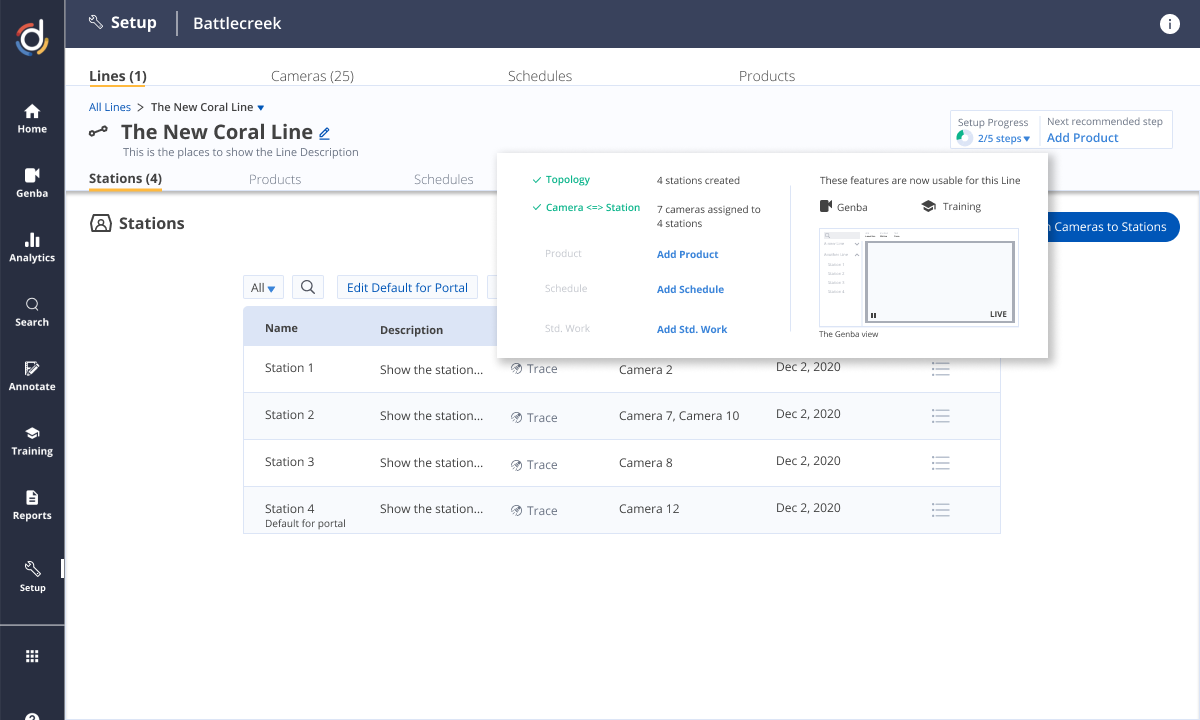
The platform could own what email and YAML couldn't — Standard Work and factory floor plan, captured once, shared across implementation, ML, and customer teams.
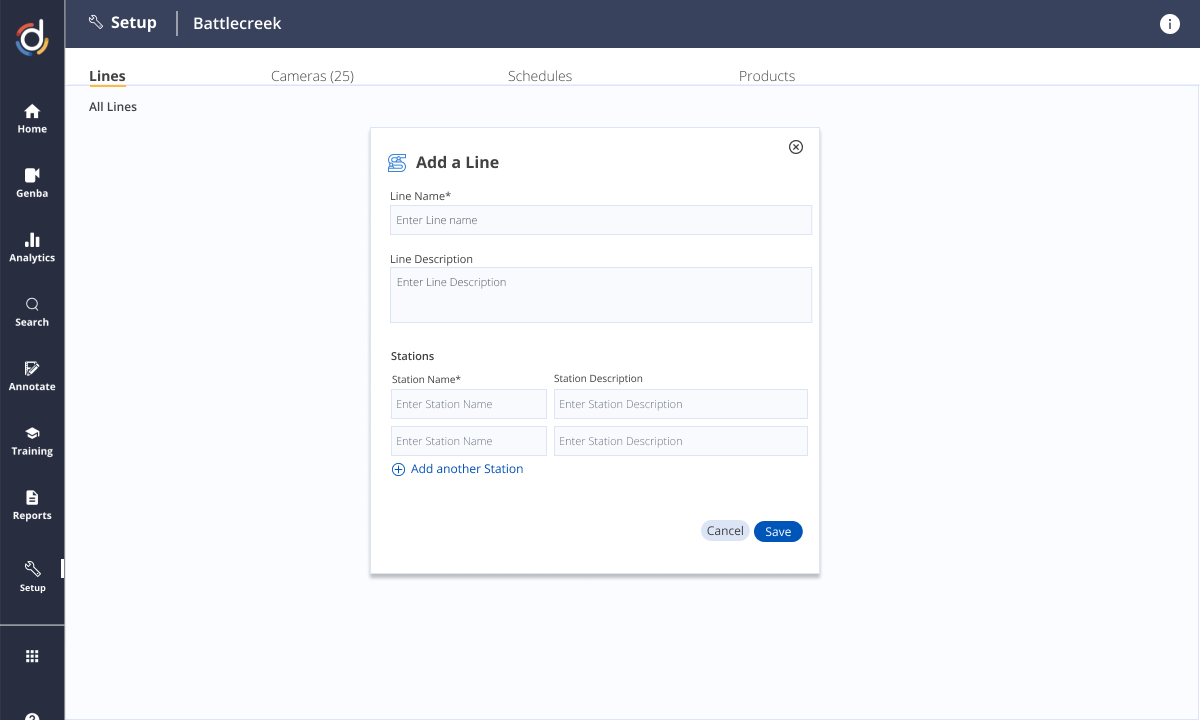
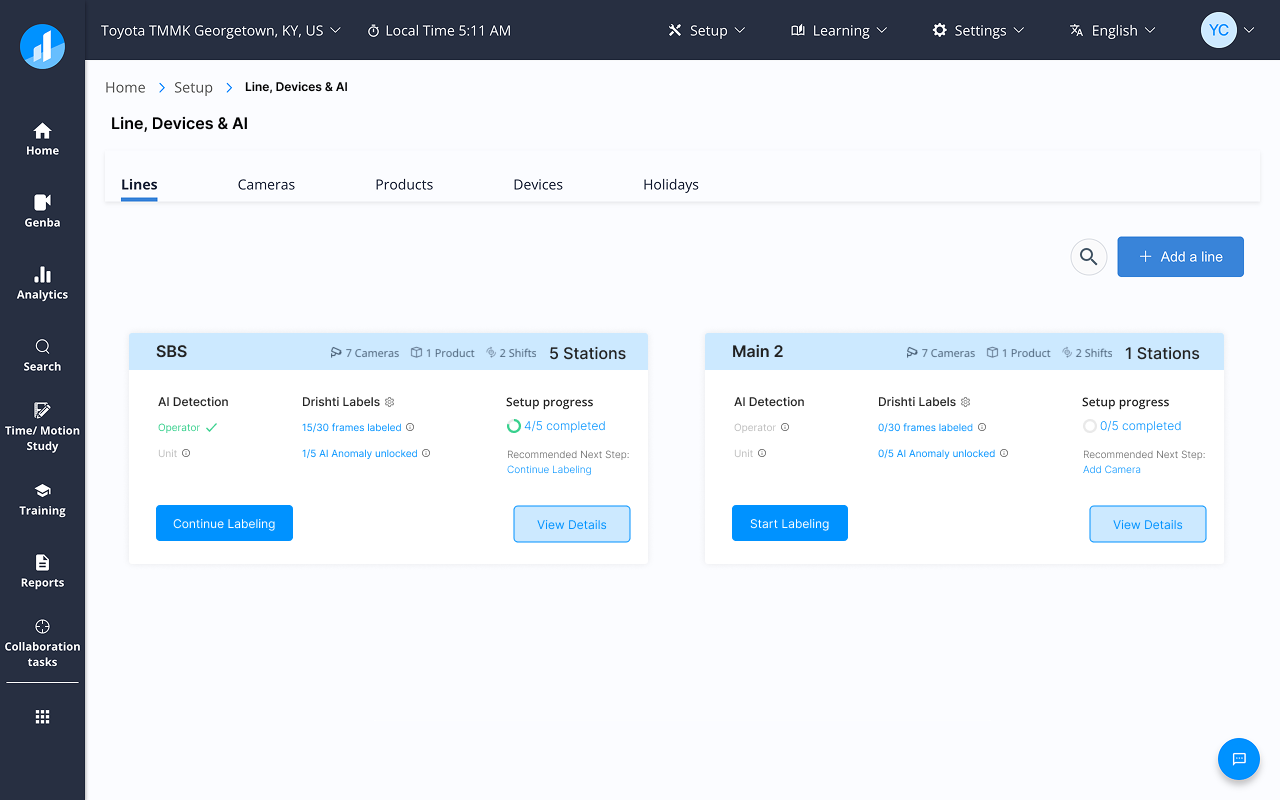
A wizard UI let the implementation consultant — or the customer directly — enter all configuration data step by step. Each piece captured in the product meant one less email, one less file, one less handoff lost in a thread.
The onboarding wizard walked consultants through every step — camera placement, station mapping, schedule configuration — before a single inference ran.
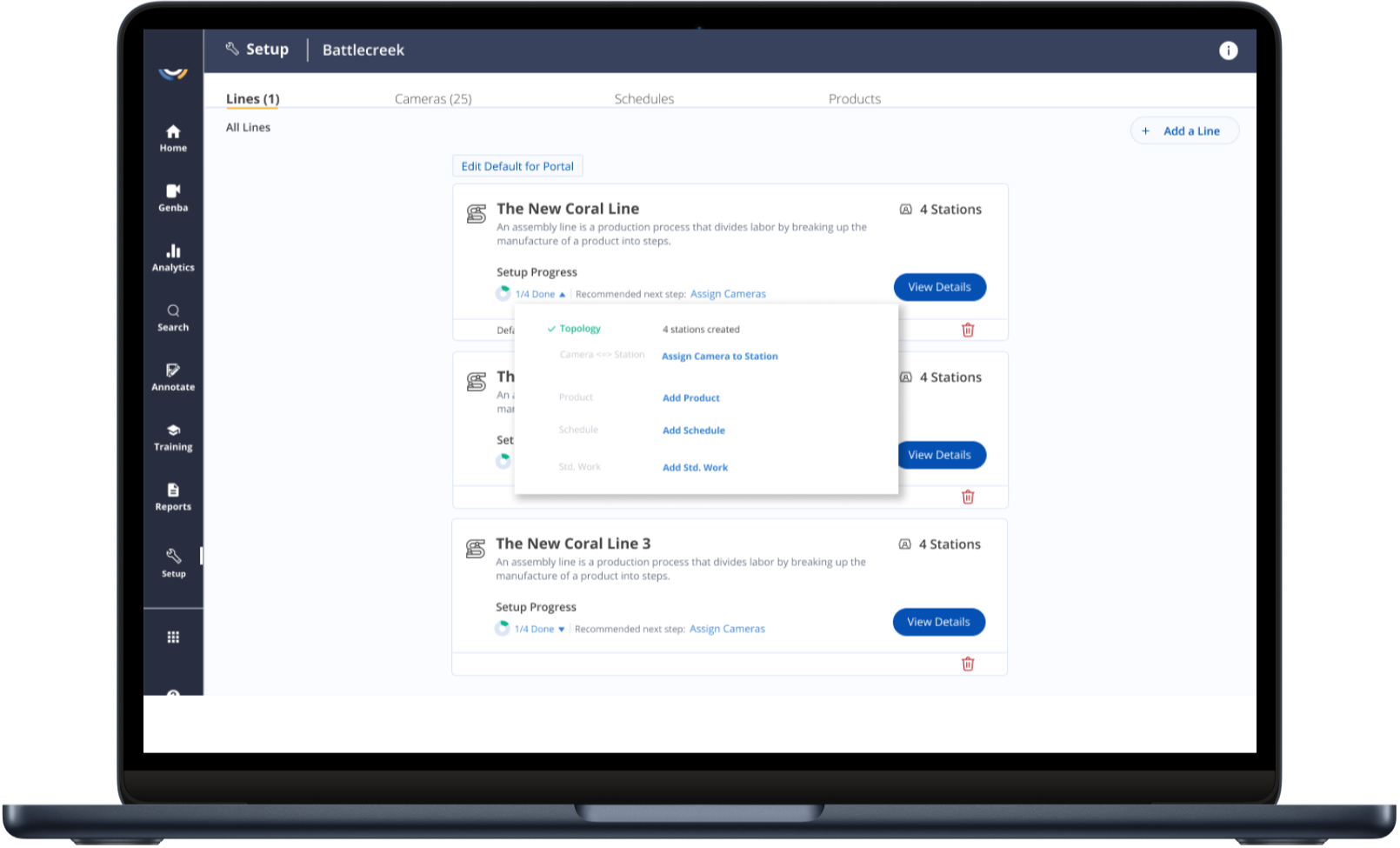
End-to-end guided onboarding — all setup steps in one surface
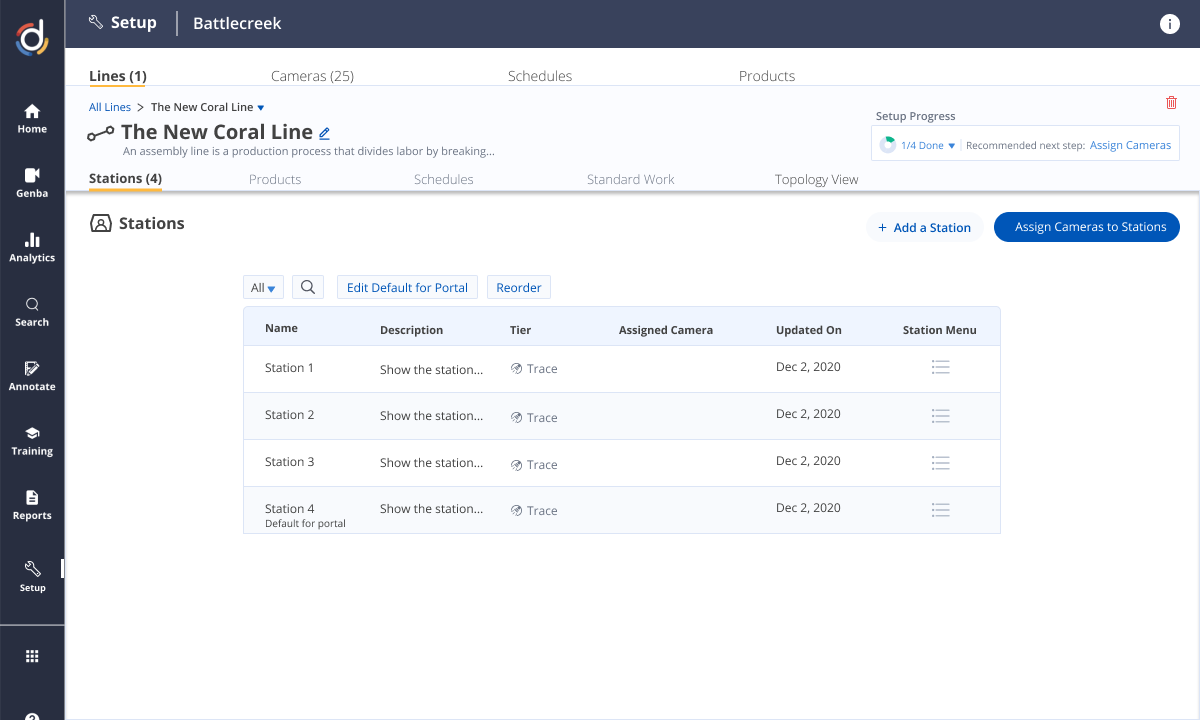
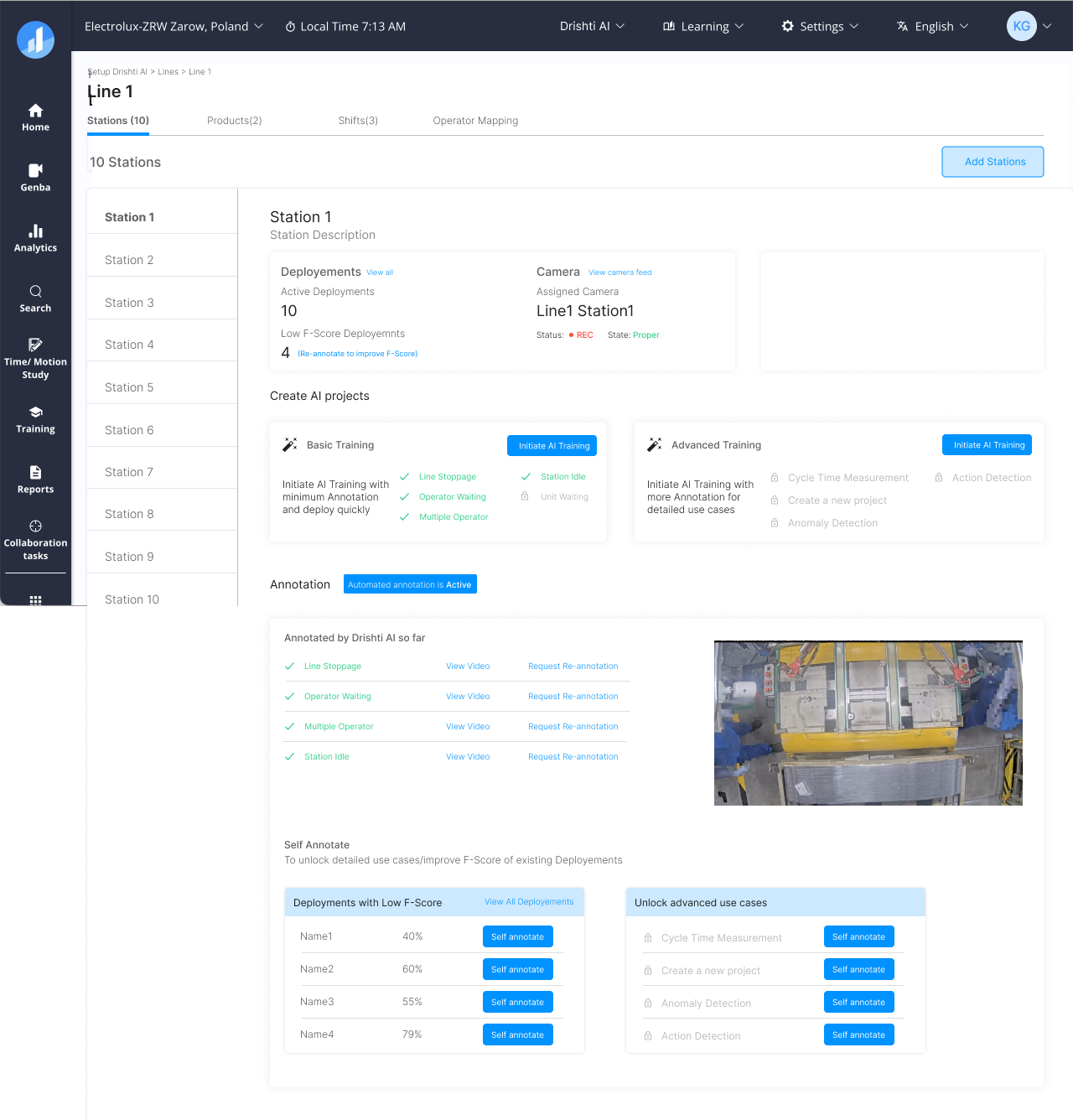
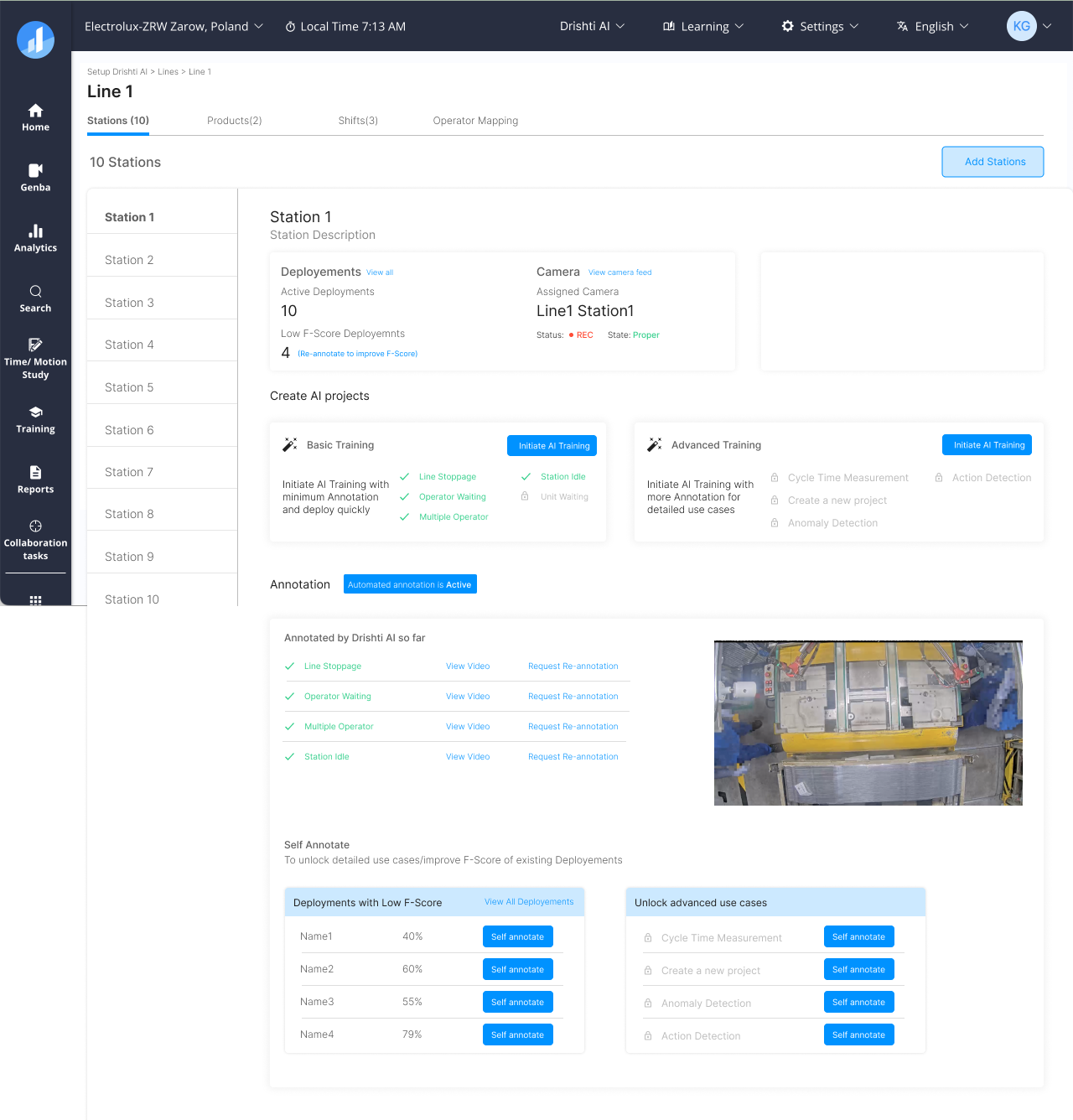
Each station was configured individually through a step-gated flow. A line overview gave Customer Success a live view of setup progress across all stations — remotely, without an on-site engineer.
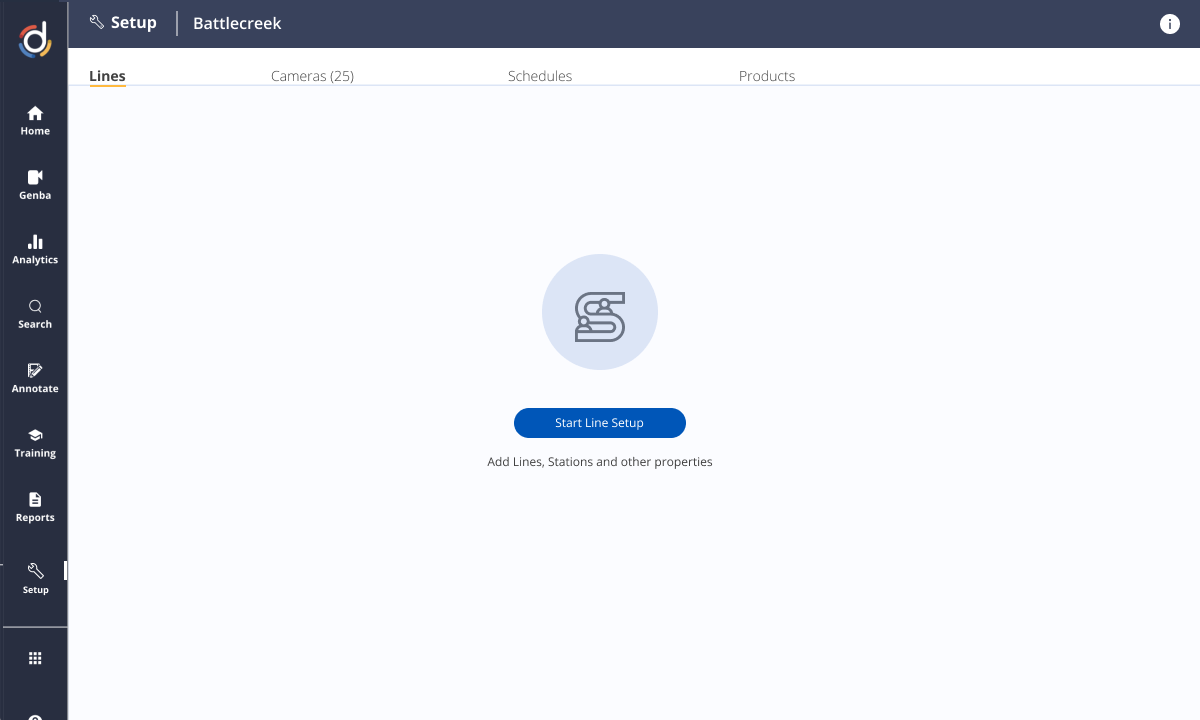
Station list — setup status at a glance
Station detail — step-by-step configuration
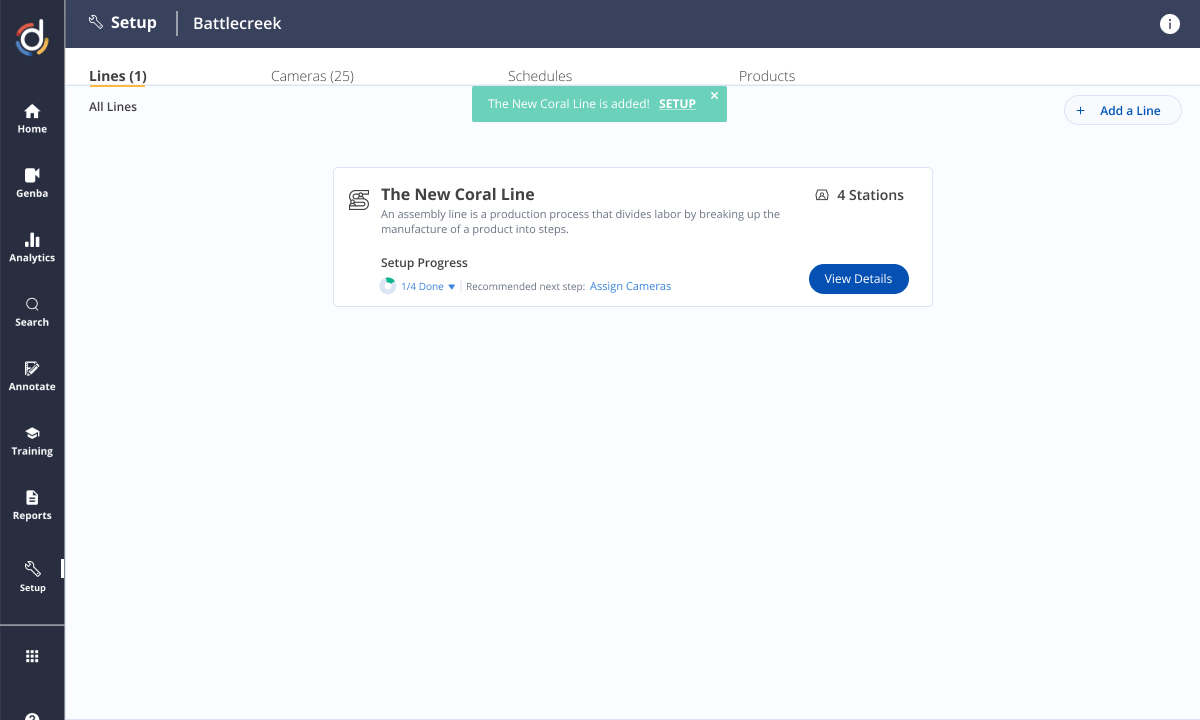
Line overview — all stations and states
Station and camera linking
Factory floor schedules — shift patterns, planned downtime, production windows — were captured here too, so the ML pipeline only ran inferences when the line was active.
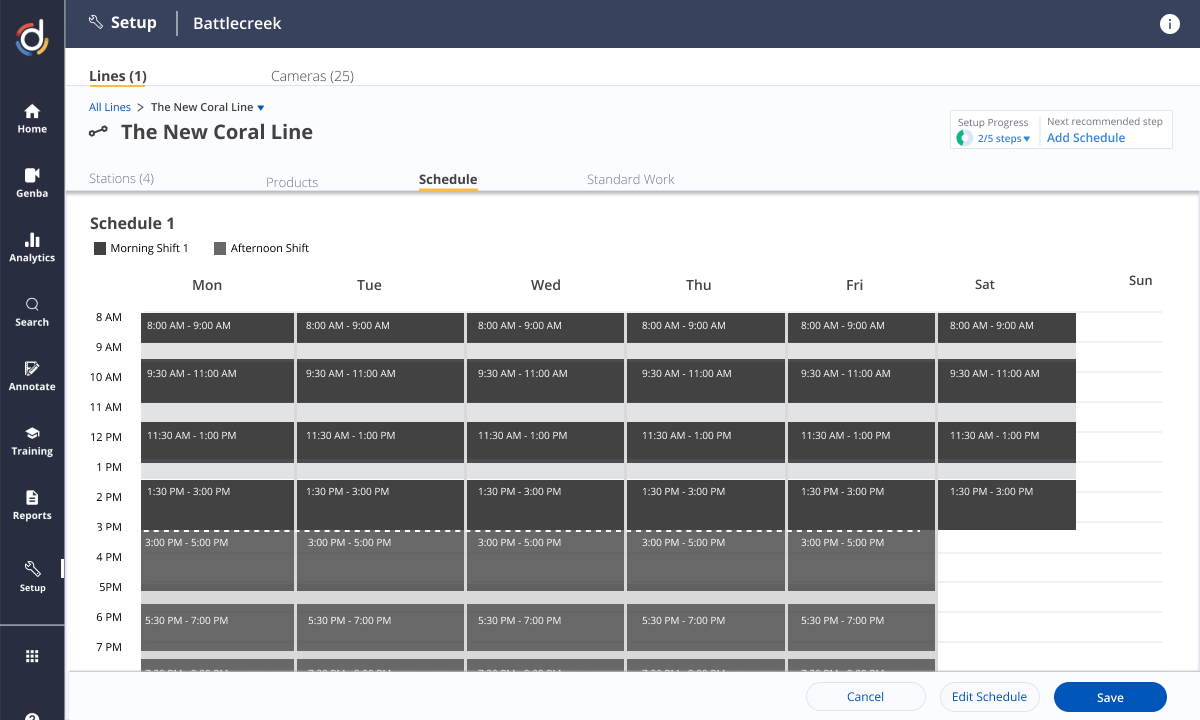
Factory floor schedule configuration — when to run ML, when to pause
Step-gated wizard — Linear flow, no skipping steps — eliminating the most common source of re-work.
Live camera preview — Embedded live feed to confirm framing before committing. Single biggest time-saver.
Plain-language errors — Every failed validation surfaced a clear fix — not a generic error code.
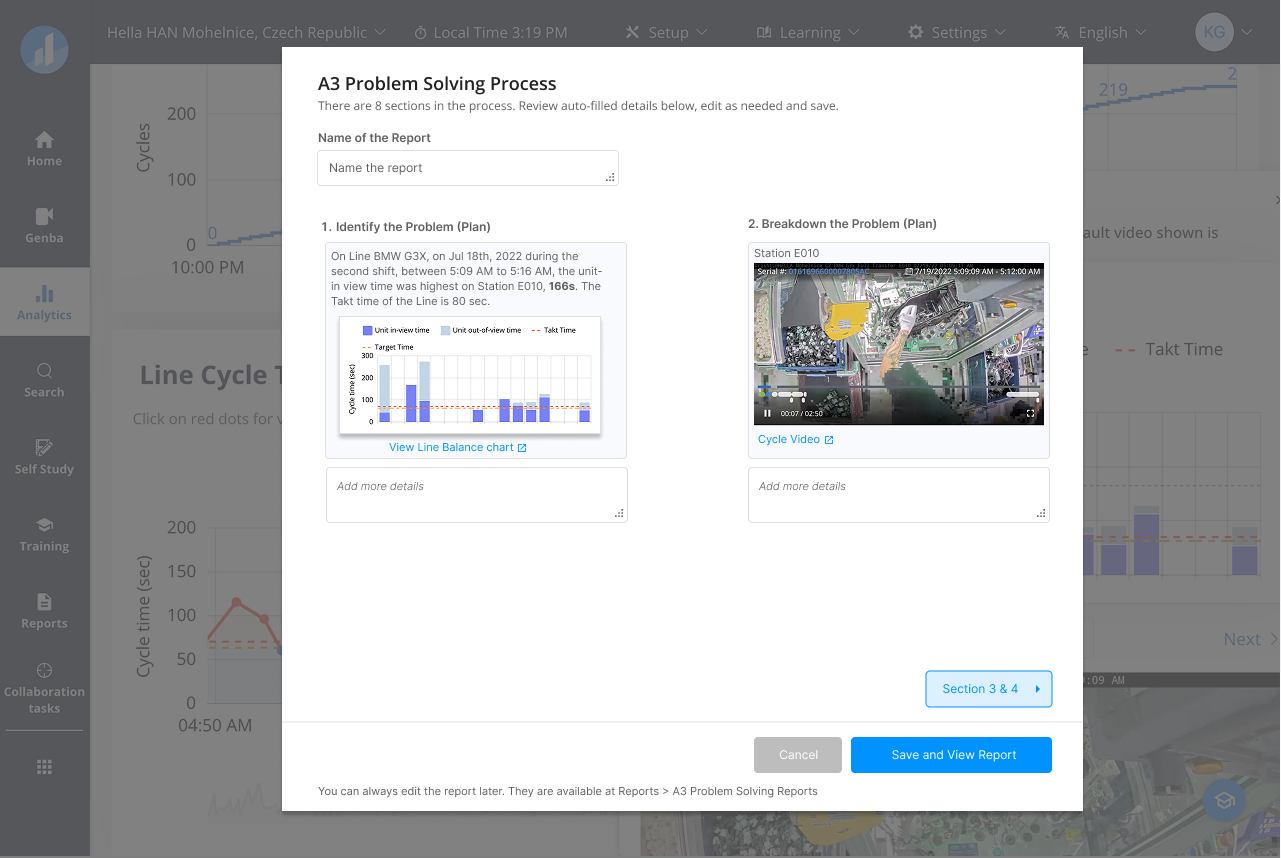
Every skipped step was a future error. The cycle detail view made the cost of incomplete data visible — frame-level annotation showing exactly what the AI would and wouldn't be able to detect.
Cycle detail — frame-level annotation showing the value of complete input data
Standard Work captured here became the foundation for everything downstream — ML training, deviation detection, operator coaching. Annotate steps on a video timeline, set durations with tolerances, flag critical vs. non-critical — with the live published version visible alongside the draft for fast review.
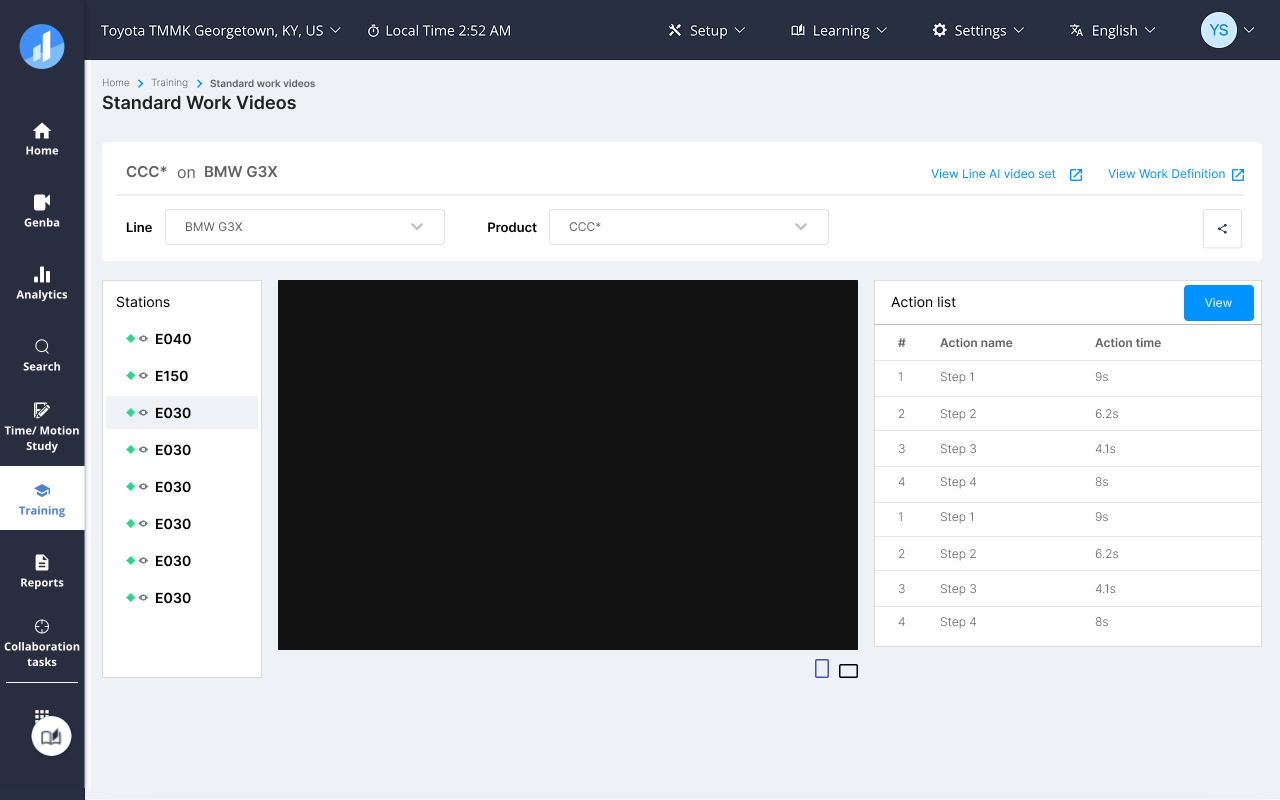
Standard Work version list — draft alongside published for fast review
Solution 2 — ML Setup Workflow
Standard Work in spreadsheets. ML setup gated behind engineering. We built one pipeline: author SW in the platform — it becomes training data, feeds the model, surfaces results — no scripts, no tickets.
Annotate steps on a video timeline, set durations with tolerances, flag critical vs. non-critical — draft and live version side-by-side for fast review.
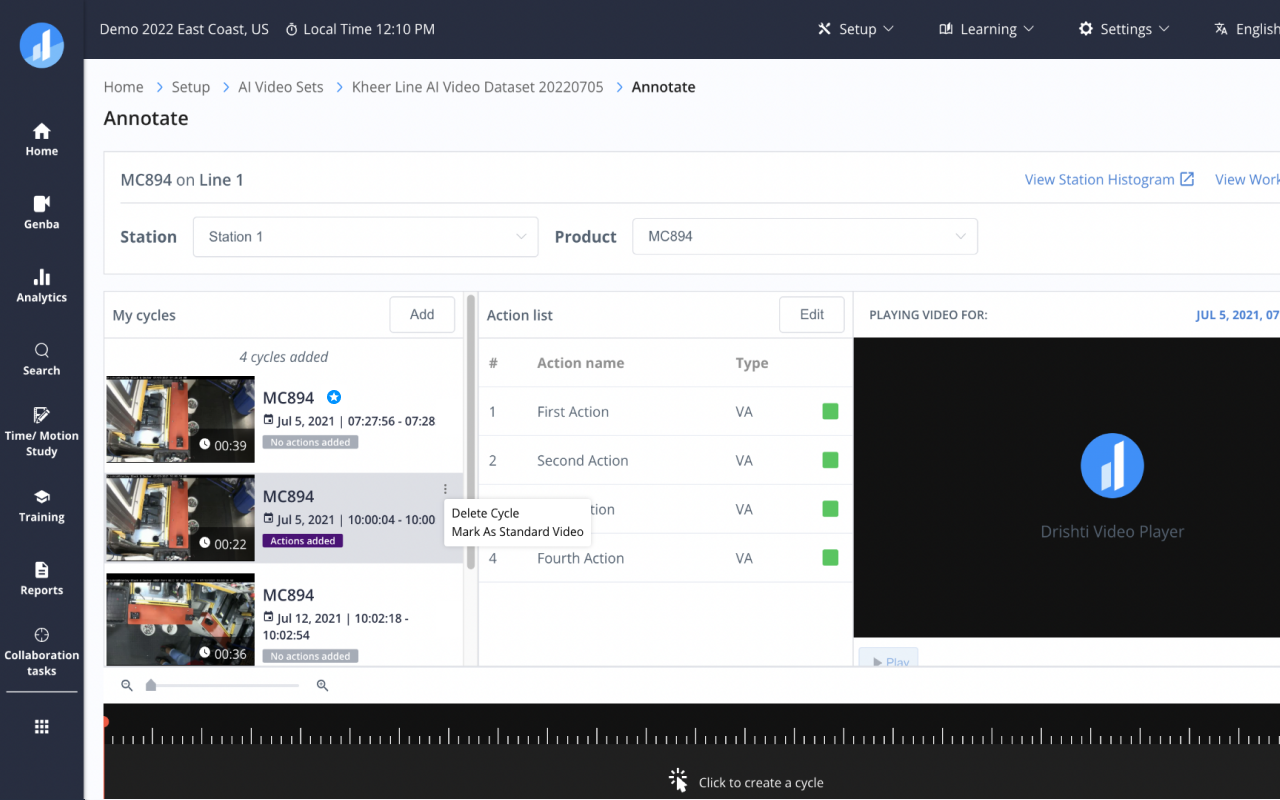
Defining a SW step with timing thresholds
Version list — draft vs. published
Before publishing, every SW version is validated against actual floor cycles — filter, scrub, compare — making deviation points immediately visible.
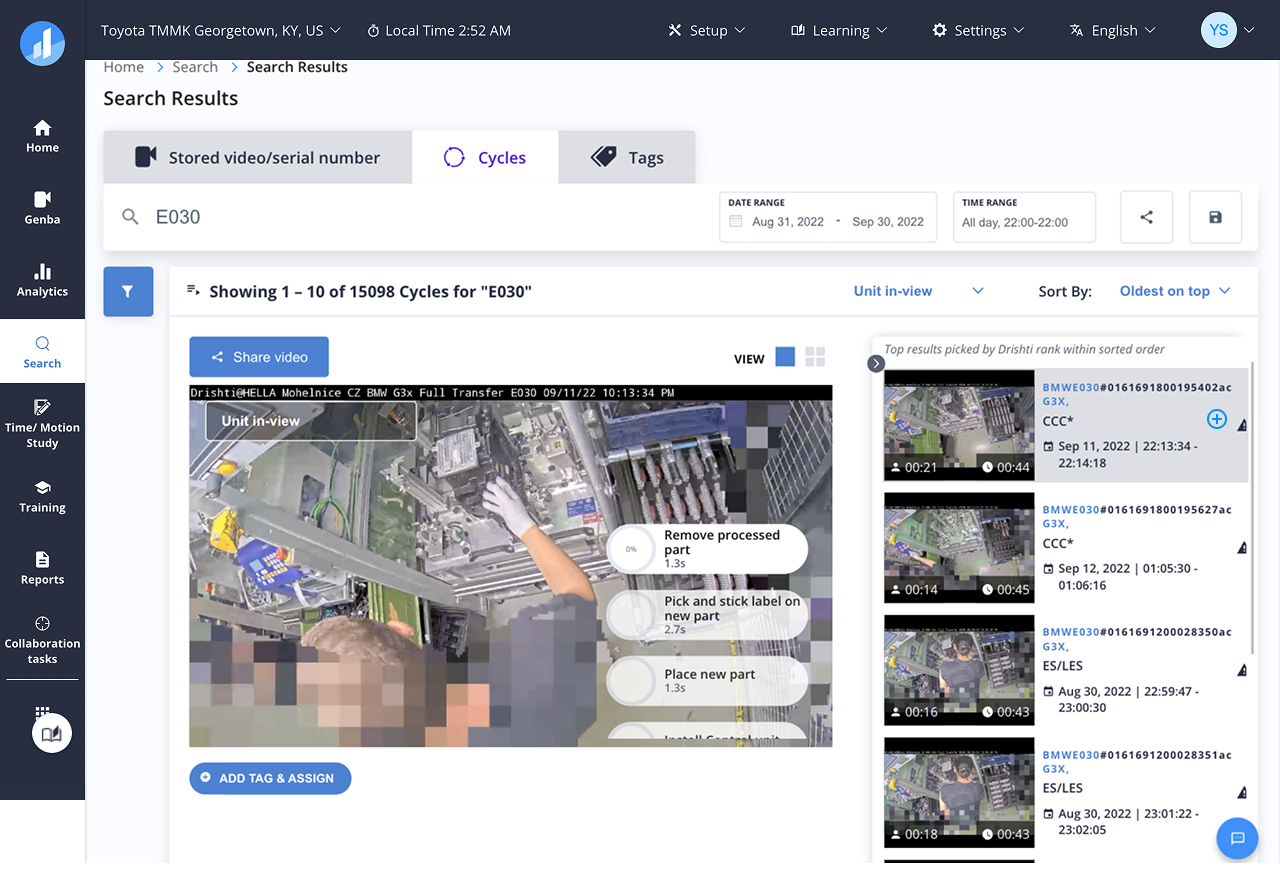
Search cycles by operator, date, outcome
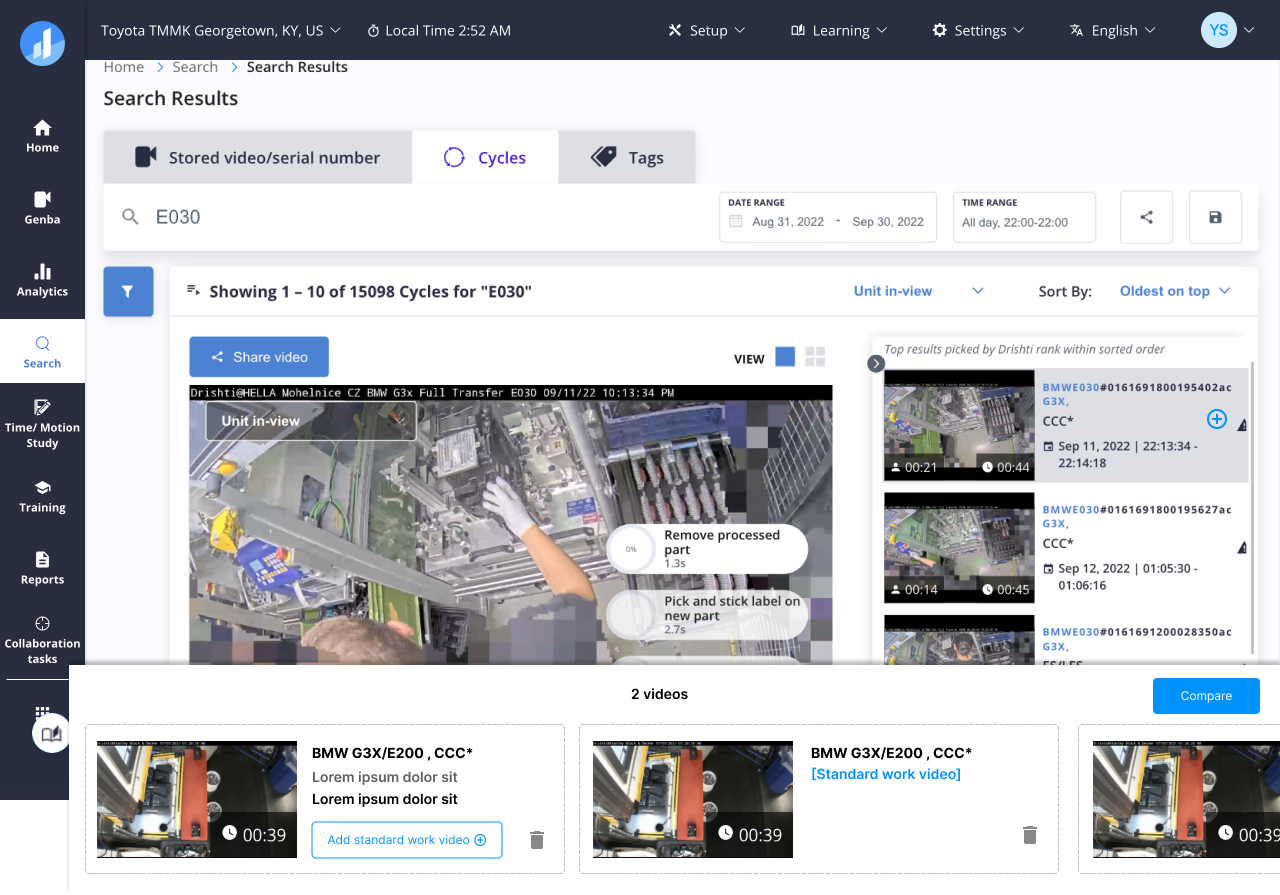
Side-by-side cycle comparison
Standard Work becomes training data. Model health, confidence levels, threshold controls — all in one surface any Implementation Consultant could drive.
Model overview — station & confidence
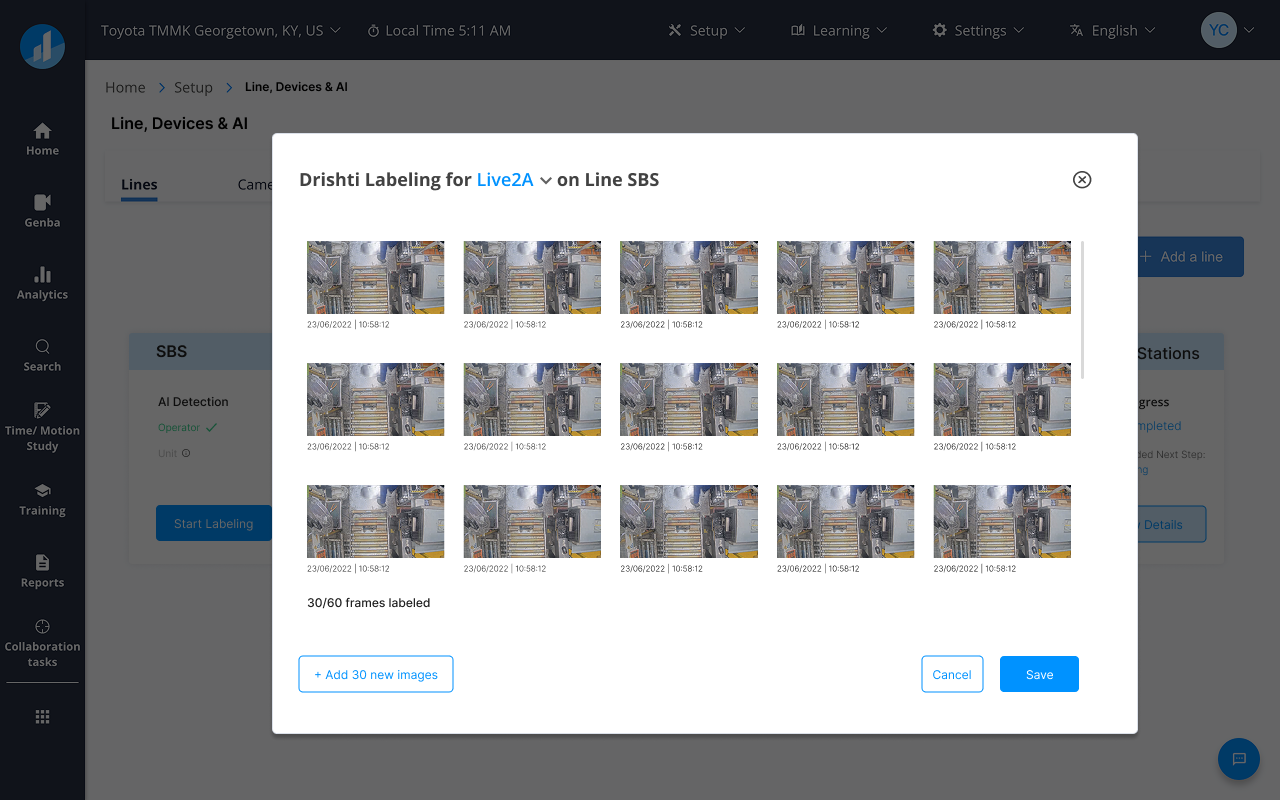
Training data selection
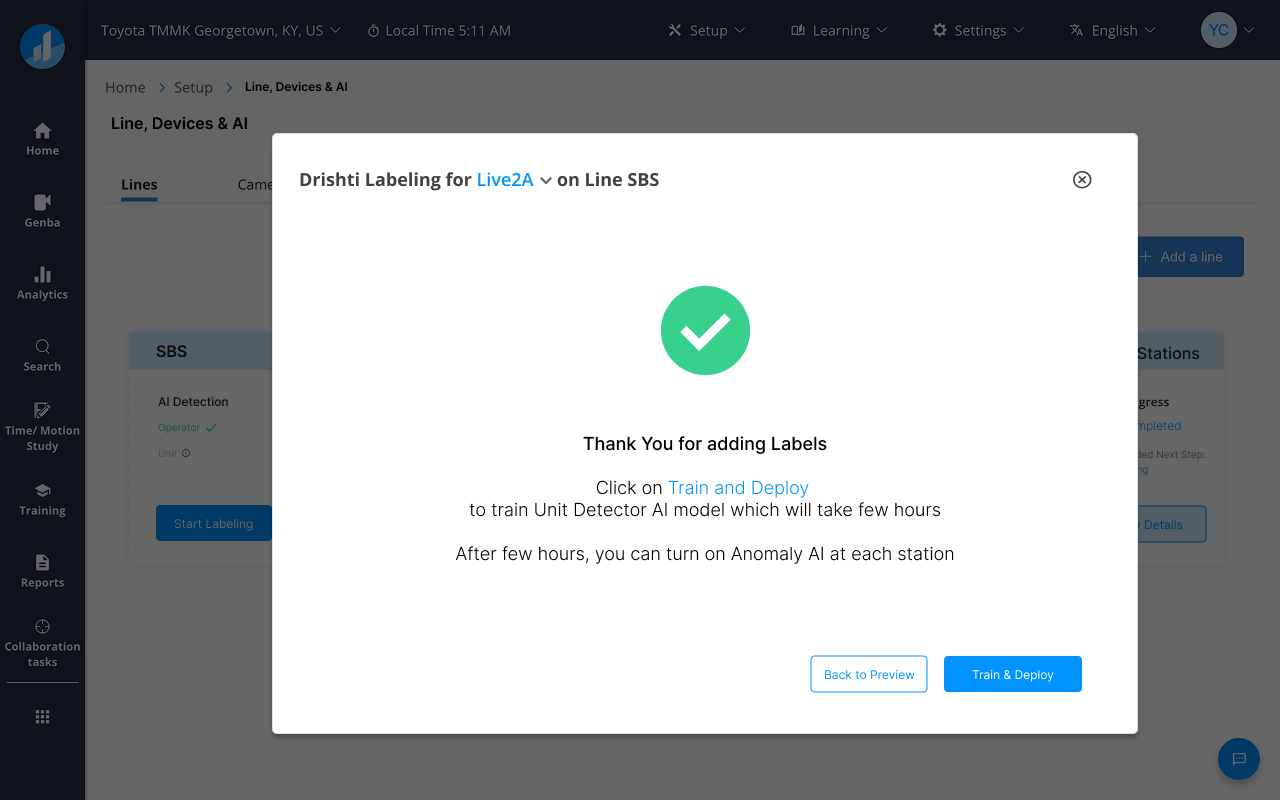
Threshold configuration
Knowing whether the AI had "seen enough" was the key friction. A quality indicator — cycle count by station and confidence band — let engineers reject outlier cycles without touching code.
Training cycle review — accept / reject outliers
Confidence band summary per station
Solution 3 — RCA Workflow
No audit trail. No structured hypothesis. No link between finding and corrective action. Average investigation time: days.
Investigations ran across email, spreadsheets, and manual video review — with no shared record. The RCA module gave Quality Engineers one workspace: alert → hypothesis → evidence → action, linked to the station, the active SW version, and any prior RCAs on the same defect type.
A single view of all open investigations — status, days unresolved, and assigned owner at a glance. No more hunting across inboxes to know where something stood.
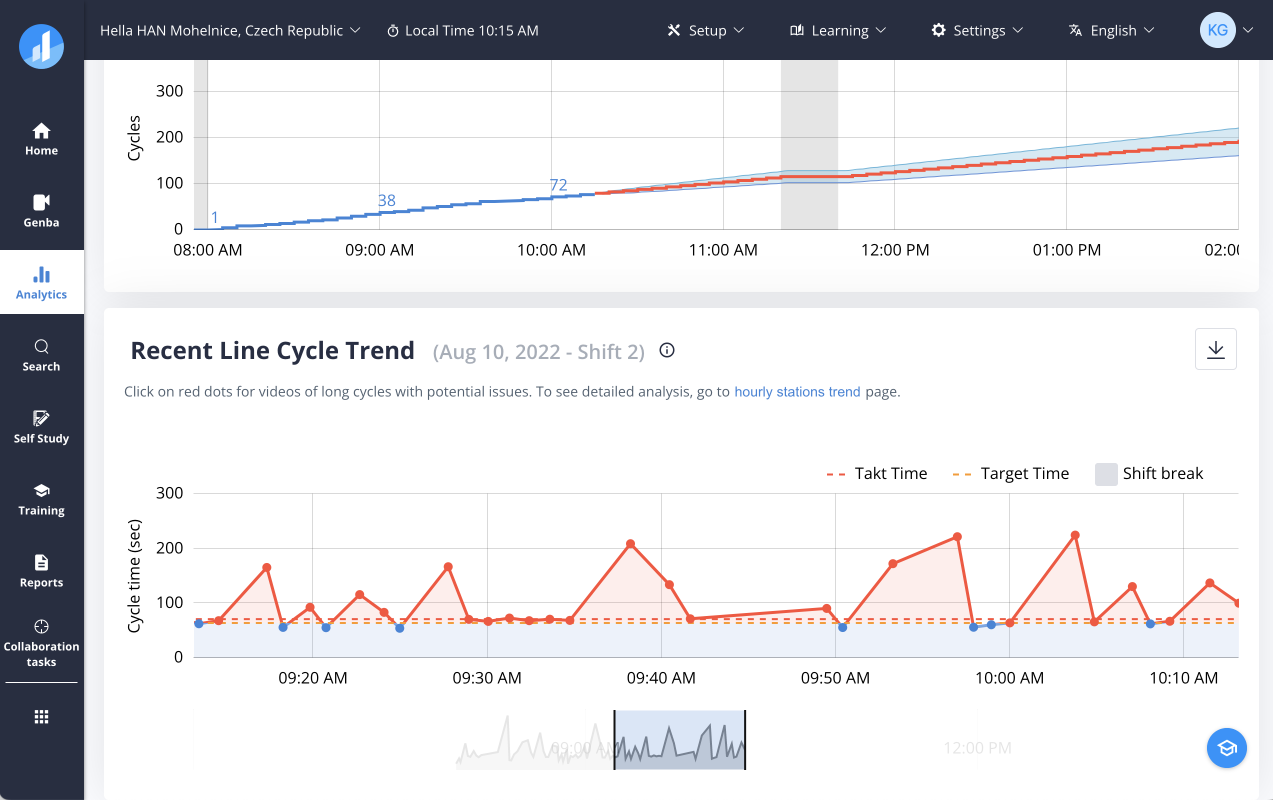
RCA home — all open investigations, status and aging visible at once
Observe → hypothesise → verify → conclude → assign. Each step optional but tracked — flexibility without losing traceability.
Evidence, cycle data, and video surfaced inline at every step — engineers never left the RCA to find supporting data.
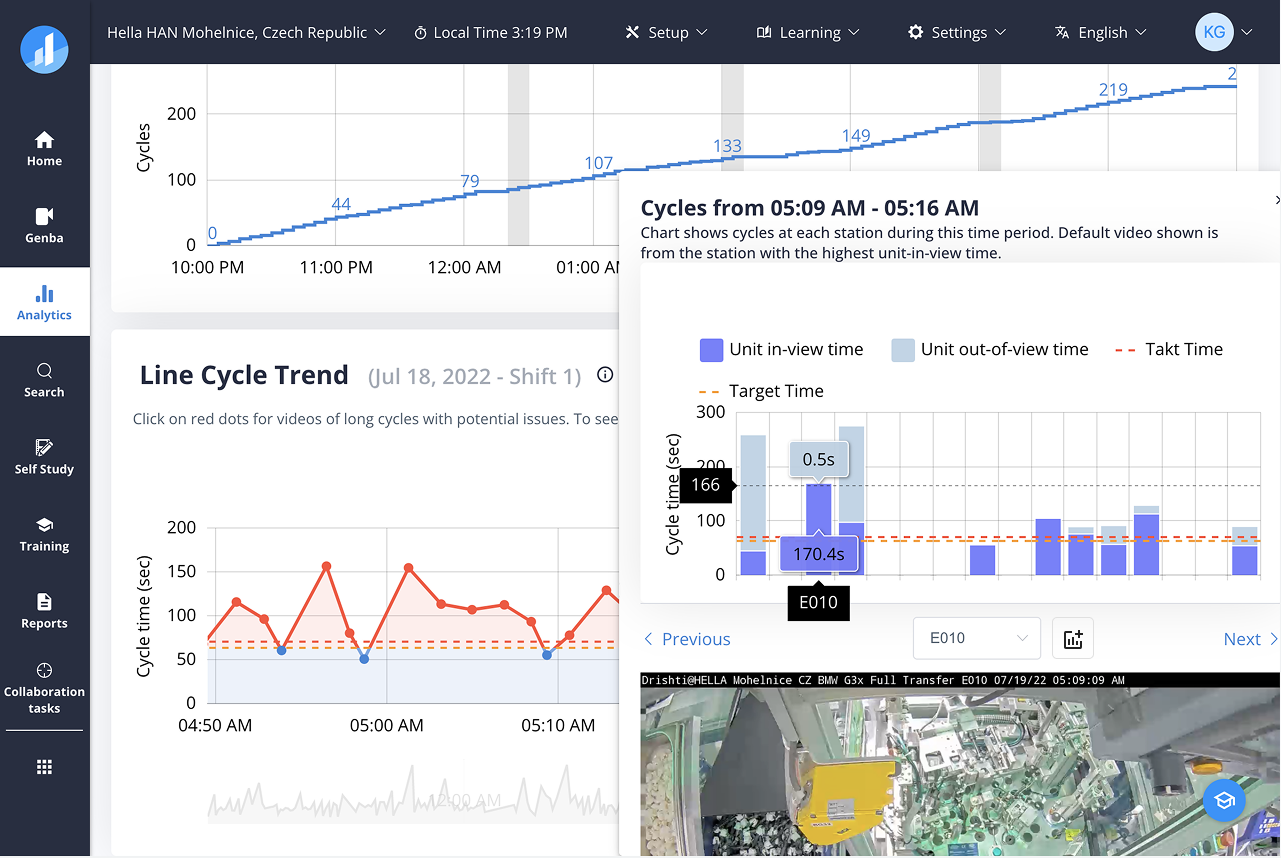
Evidence and hypothesis canvas
Structured 5-Why with evidence attached
Correlated cycle data pulled directly from AI logs — no manual export. Once root cause was concluded, a corrective action was assigned with owner, due date, and type in the same view.
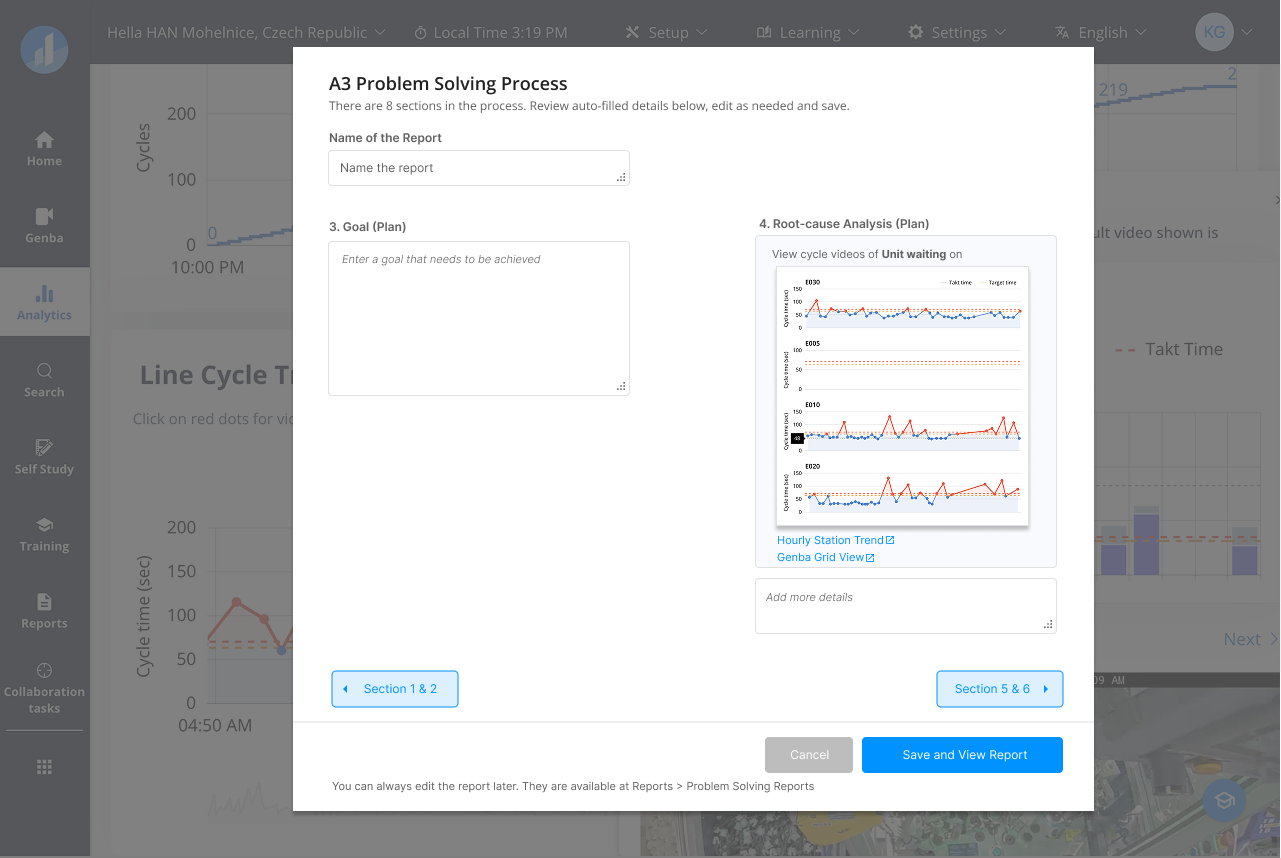
Correlated cycle data from AI logs
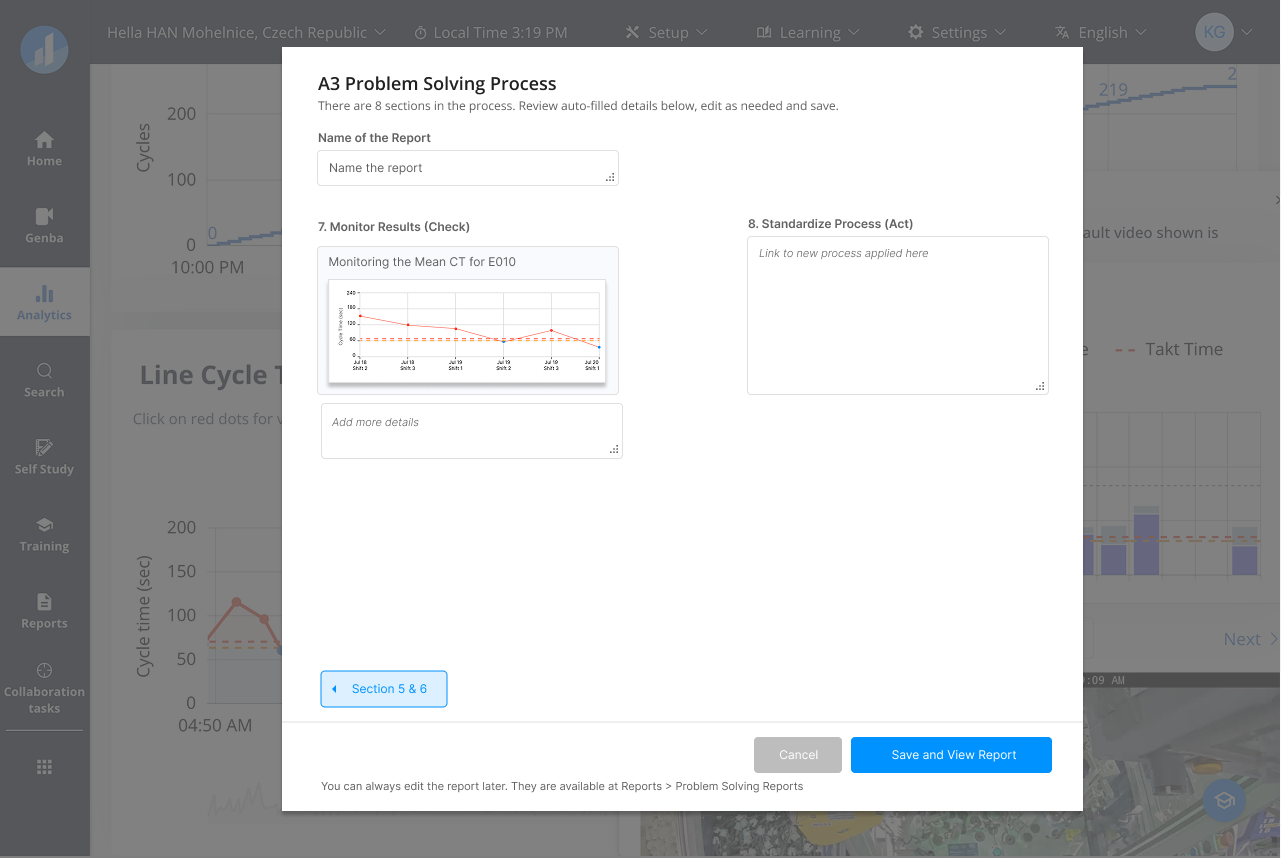
Corrective action — owner, due date, type
Evidence first — Video, cycle data, AI logs inline. Never left the RCA to find data.
Progressive disclosure — Structure only when needed. Scannable summary always at top.
Linked history — Prior RCAs on the same defect suggested automatically. Cut re-investigation time by half.
Solution 4 — Continuous Improvement Loop
Improvements were happening informally — spoken between shifts, never written down, never propagated. The Kaizen module gave those moments a place to land and a path to action.
A single space to raise, vote on, and track improvement ideas — from an operator note to a post-RCA corrective action. Ideas linked back to the station and line they came from.
Kaizen board — ideas by status and owner
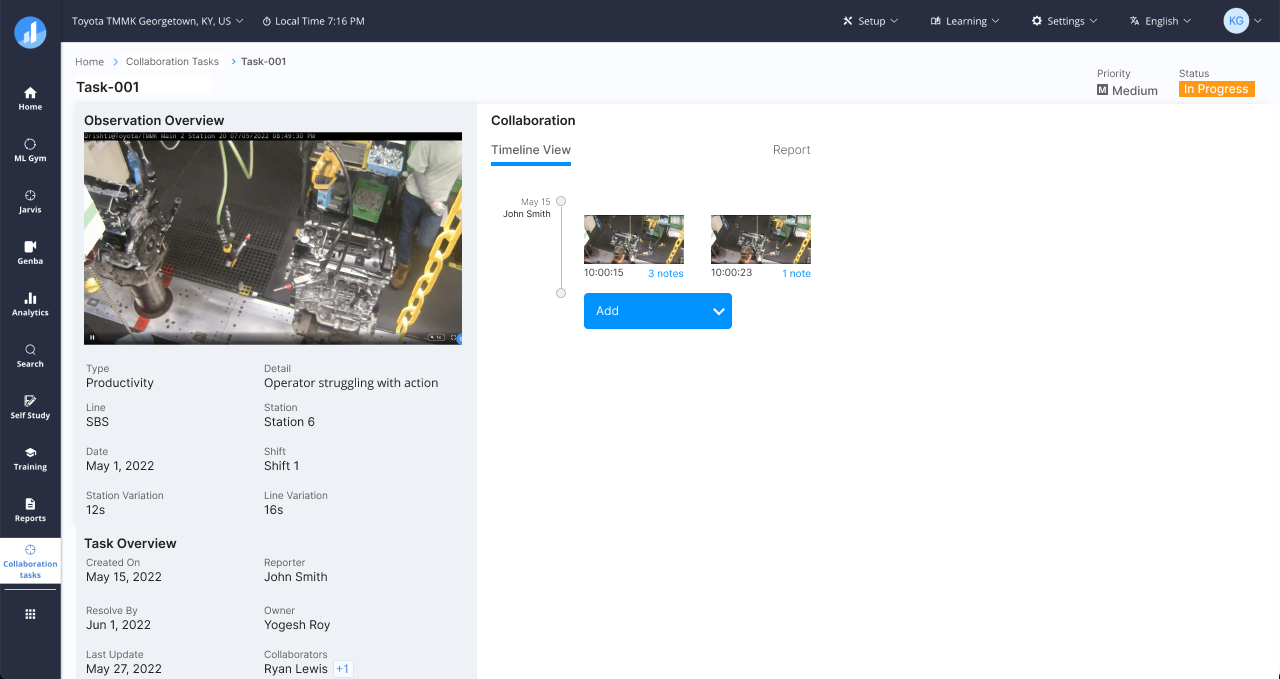
Kaizen detail — evidence, discussion, action
Raise from context — a Kaizen opened from any anomaly or RCA finding arrived pre-filled with station, line, and evidence. No blank forms, no re-entry.
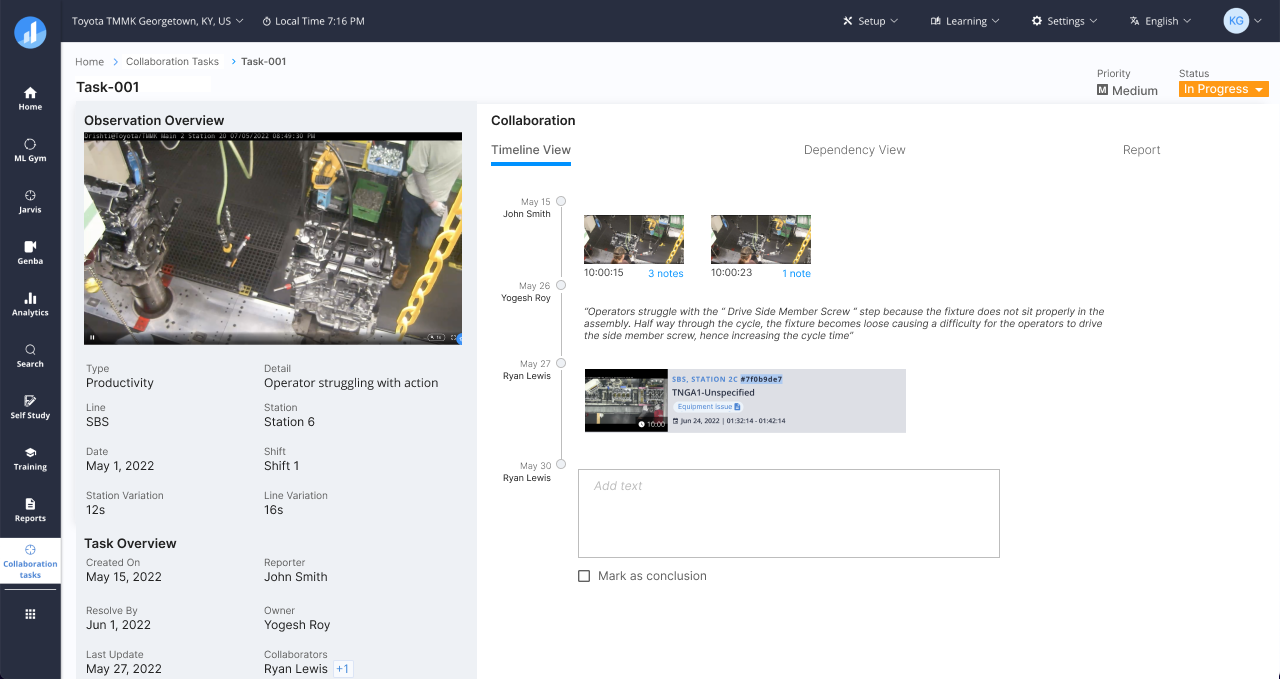
Cross-functional corrective actions from RCA and Kaizen, assigned and tracked in one view. Closed the gap between a finding and a fix.
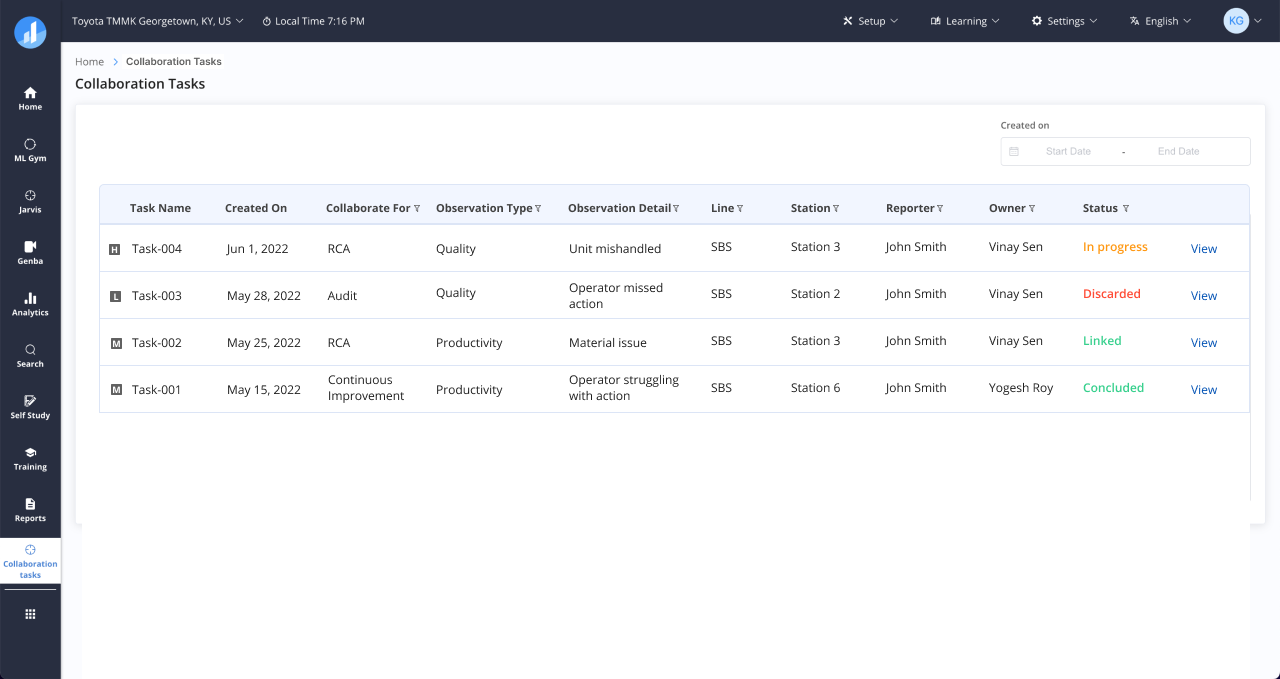
Collaboration tasks — status, owner, and days open at a glance
Vote and prioritise — Supervisors upvote ideas. Democratic signal to the backlog — no meeting required.
Link to Standard Work — Approved Kaizens trigger a new SW draft. Improvement idea to updated process in one chain: data → problem → RCA → Kaizen → Standard Work.
Research & Iteration
Every workflow started on the factory floor — not in a meeting room. What we observed consistently contradicted what stakeholders described.
Each of the four workflows followed the same arc: factory observation → stakeholder interviews → journey mapping → prototype → usability testing. RCA went through five rounds of testing. Each round measurably reduced steps to complete an investigation.
Evidence before structure — Engineers opened RCA with evidence, not answers. We made attachment the first step and removed mandatory fields. Form completion improved immediately.
Floor language over ML terminology — The ML setup screen used internal engineering terms that IEs on the floor had never encountered. We replaced every label with the language they already used.
Raise from context, not from scratch — Kaizen adoption was near zero at launch. A blank form in a separate screen was too much friction. We added one-tap raise from any anomaly or RCA finding, with station and evidence pre-filled. Adoption reached 100% within six months.
Real-time video feeds, ML pipeline triggers, multi-user collaborative state — technically expensive across the board. I worked closely with engineering on feasibility and phased delivery throughout, shaping the roadmap as much as the UI.
Live camera preview and inline cycle scrubbing were both scoped out as too costly early on. Both shipped — because the design made their value concrete enough to reprioritise.
Outcomes
Onboarding dropped from 8 weeks to 1 week. The implementation team did not grow. Customers' own IT teams took over line configuration within one quarter of launch.
Defect investigations that used to take days now closed in hours. One customer recorded a 12% reduction in line escapes in their first quarter — linked directly to faster RCA and corrective action tracking.
Adoption reached 100% among trained users within six months of launch. Three customers completed the full improvement loop — from Kaizen to updated Standard Work — for the first time.
18 months of sustained alignment across Product, Engineering, Customer Success, and factory-floor users. The hardest part was building a shared language between the people who build the platform and the people who use it on a production line.
The platform-wide UX overhaul, design system, and persona work are covered in
← Case Study A — From Design Debt to Design System